 waza
waza
01
The day dial
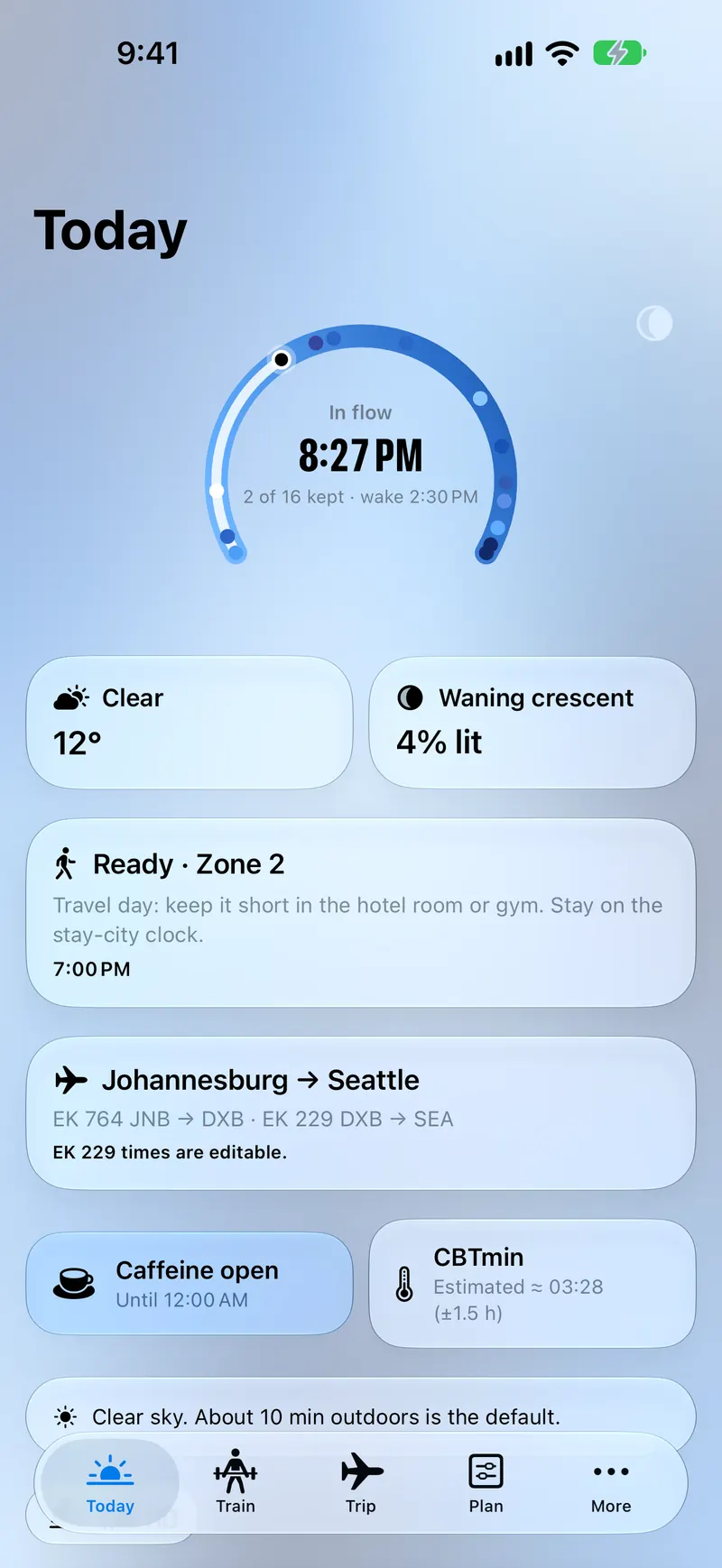
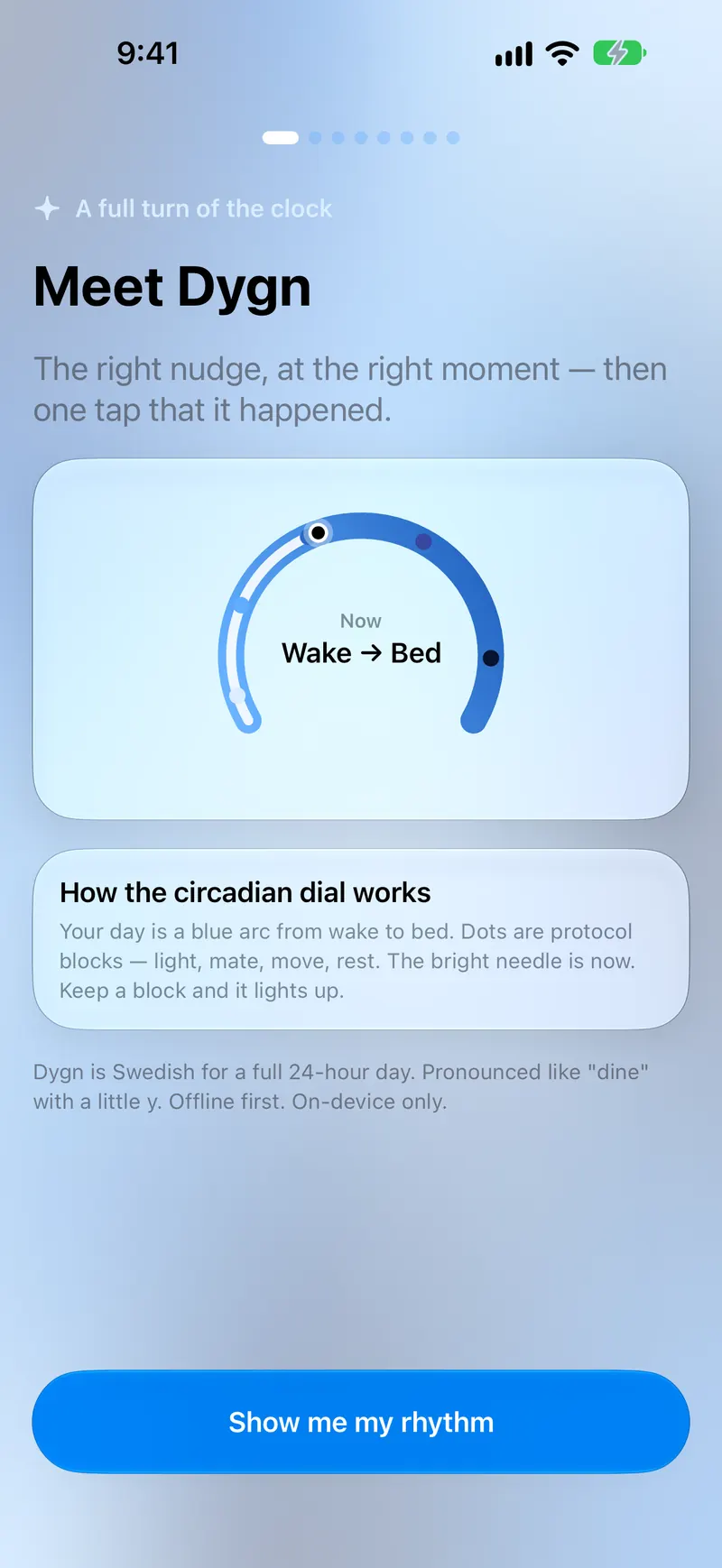
A blue arc from wake to bed. Dots are protocol blocks — light, fuel, move, rest. Keep a block and it lights up.
iPhone · Circadian companion
The right nudge, on time
A full 24-hour day, held as a dial. Dygn nudges you at the right time for light, caffeine, meals, movement, wind-down and sleep — then lets you mark Done, Snooze, or Skip.
How it works
Complex clocks, a simple loop. Your rhythm is an arc; the bright needle is now.
01
A blue arc from wake to bed. Dots are protocol blocks — light, fuel, move, rest. Keep a block and it lights up.
02
One card for the current nudge. Not a feed. Not a score. Just what this hour is for.
03
Reminders you can actually answer. No streak theatre — a record that you followed through, later, or not this time.
Protocol
Seek it when the dial says so. UV and cloud cover shape how long outdoors is enough.
A window, not a lecture. Know when caffeine is still on the table — and when to close it.
Timed with the rest of the day, so dinner does not collide with wind-down.
Train times Zone 2 and harder work to your rhythm, including short sessions on travel days.
Dim the day on purpose. The Now card tells you when to start.
A target window on the arc from wake to bed — then a tap that you kept it.
Train
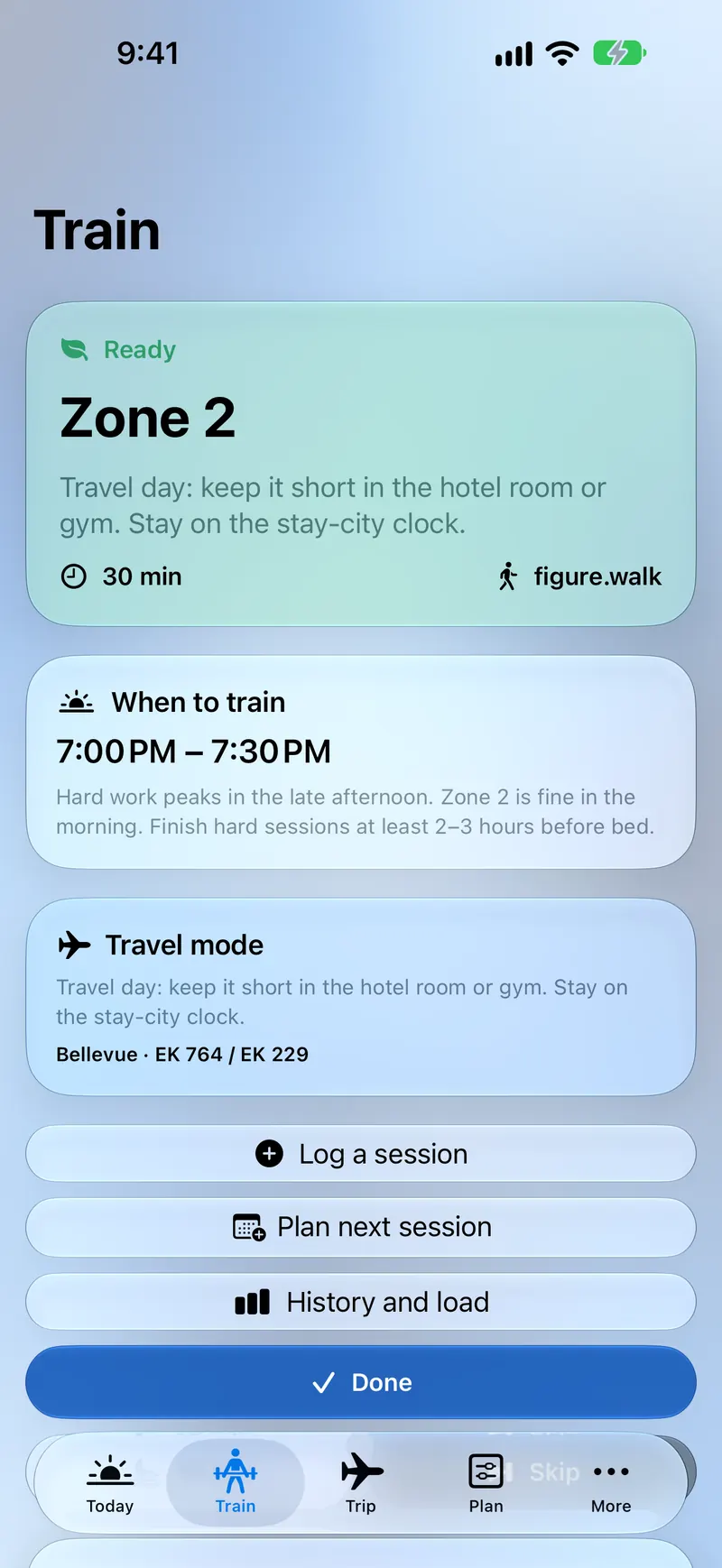
Hard work wants a window. Train places Zone 2 and heavier sessions on the same clock as light and sleep — and shortens the plan when you are on a travel day, in a hotel room or a gym.
Log a session, plan the next one, or read history and load without leaving the tab.
Sky
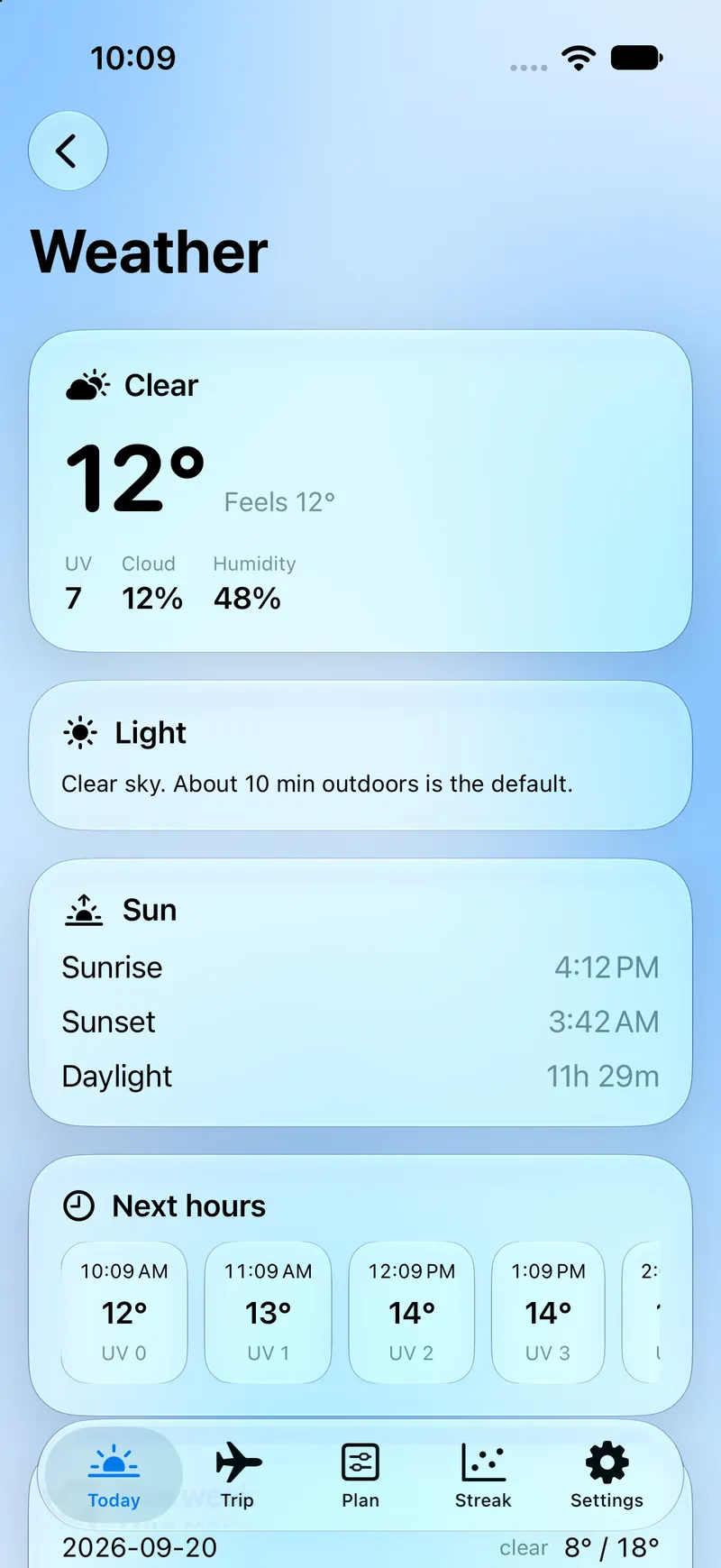
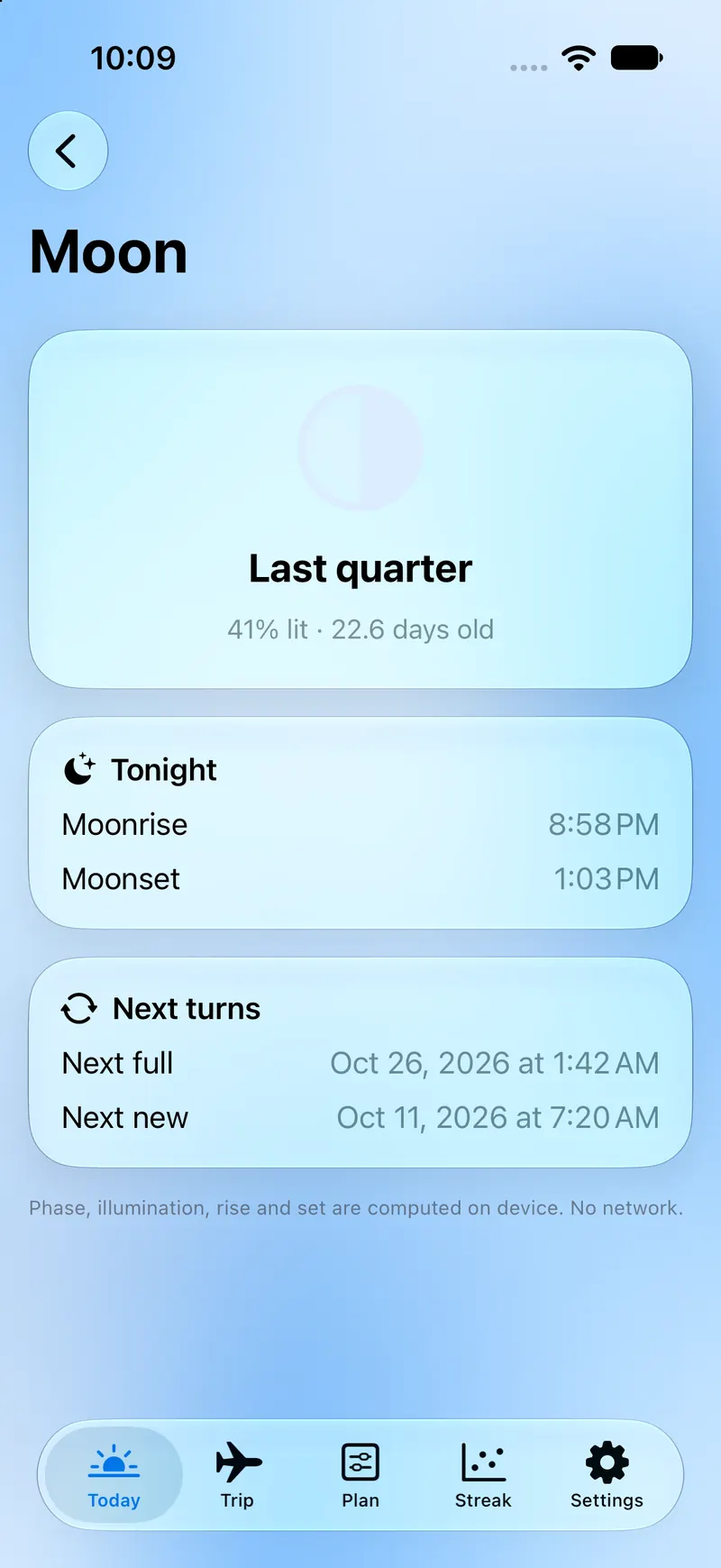
UV, cloud cover, sunrise and sunset are not decoration. They change how long outdoors is the default. Moon phase, illumination, rise and set are computed on the iPhone — no network required for the sky clock.
Trip
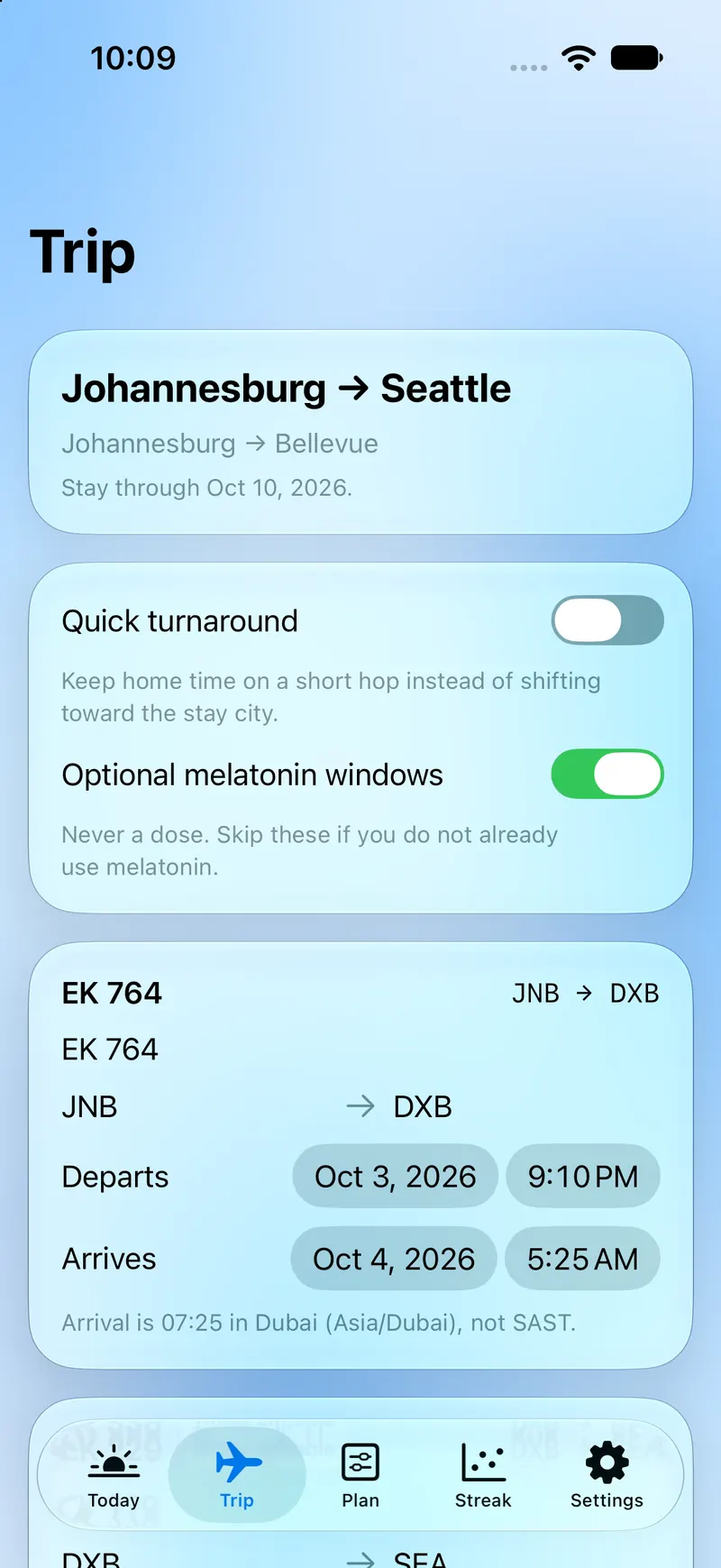
Add a flight. Dygn builds light, sleep, nap, and caffeine plans for the days around it. Optional melatonin windows are times, never a dose — skip them if you do not already use melatonin.
Dygn is not a medical device and does not diagnose, treat, or cure any condition.
Sources
Connect what you already wear. Sleep, HRV, resting heart rate, daylight, and workouts can inform the daily protocol. Widgets keep the dial and the next nudge on the Home Screen. You do not need WHOOP or Oura; Apple Health is enough, and Demo mode needs no accounts at all.
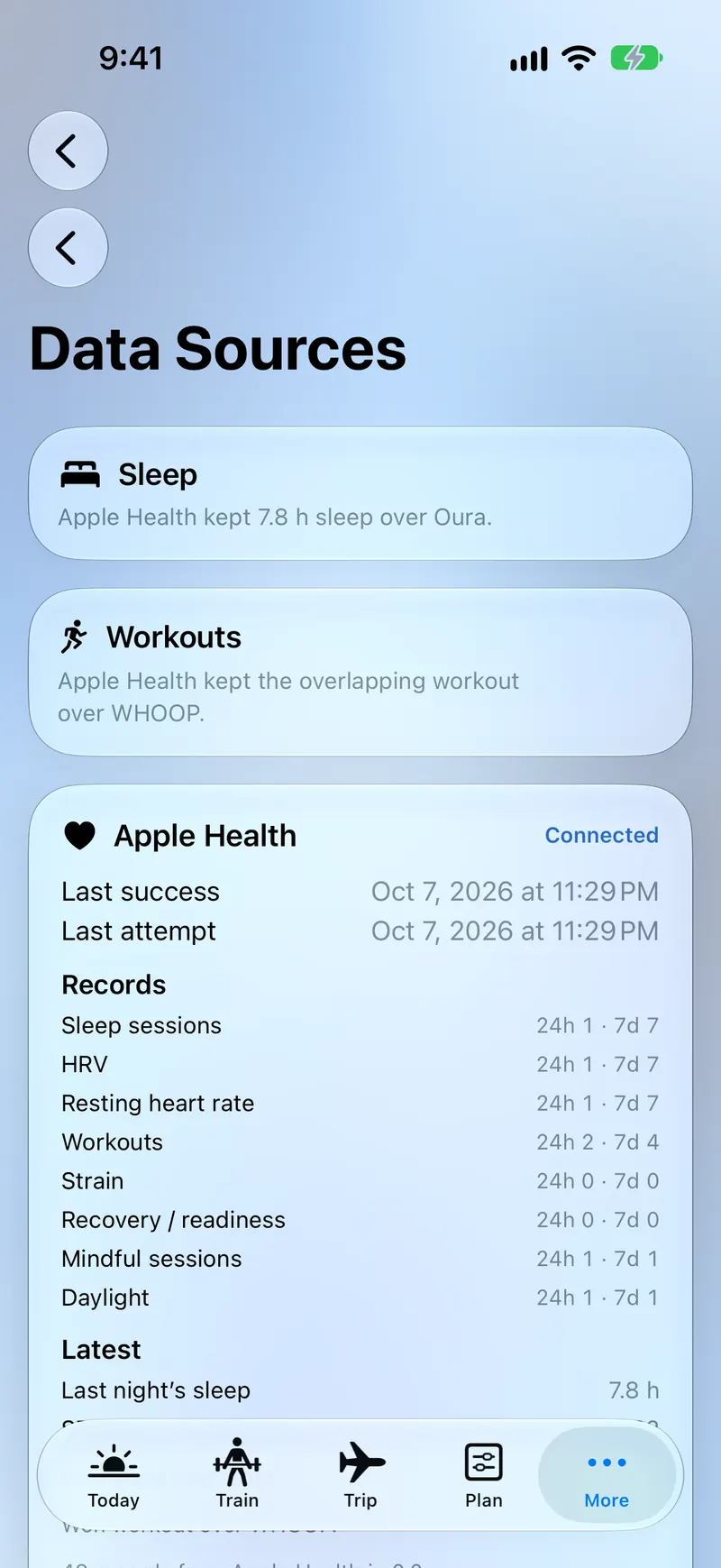
Read sleep, HRV, heart rate, daylight, and workouts. Write workouts you log in Dygn.
Optional recovery, sleep, and workout summaries fetched to this iPhone.
Optional, same idea. Tokens live in the Keychain. Disconnecting removes them.
Glance the dial and the current nudge without opening the app.
Privacy
There is no Dygn server and no custom backend. Schedule, completions, and trip details live on the iPhone and, if iCloud is on, in that Apple ID’s private CloudKit database. Nobody else, including the developer, can read your Dygn data. No account, no tracking, no ads.
FAQ
Dygn is Swedish for a full 24-hour day. Pronounced like “dine” with a little y.
No. Dygn is a personal wellness and habit app. It is not a medical device and does not diagnose, treat, or cure any condition.
No. They’re optional. Apple Health works on its own, and Demo mode in Settings needs no accounts at all.
On your iPhone and in your private iCloud. There is no Dygn server.
Open Settings, then Data Sources.
Yes. Dygn is free.
Coming soon to the App Store.
Free on iPhone. It will be here as soon as Dygn ships.